

Catch bugs in your extension with Checkly
Most Chrome extensions rely on other websites. Quite often those websites change resulting in those browser plugins breaking. You can use Checkly to catch those changes before your users do.
The example: GYMR
To show how this works, let's use a real extension called GYMR. I love this Chrome extension and I think it is a very cool concept: while you are browsing a hotel on booking.com, it shows you the details about the gym at that hotel, so you know whether you will be able to work out before you book.
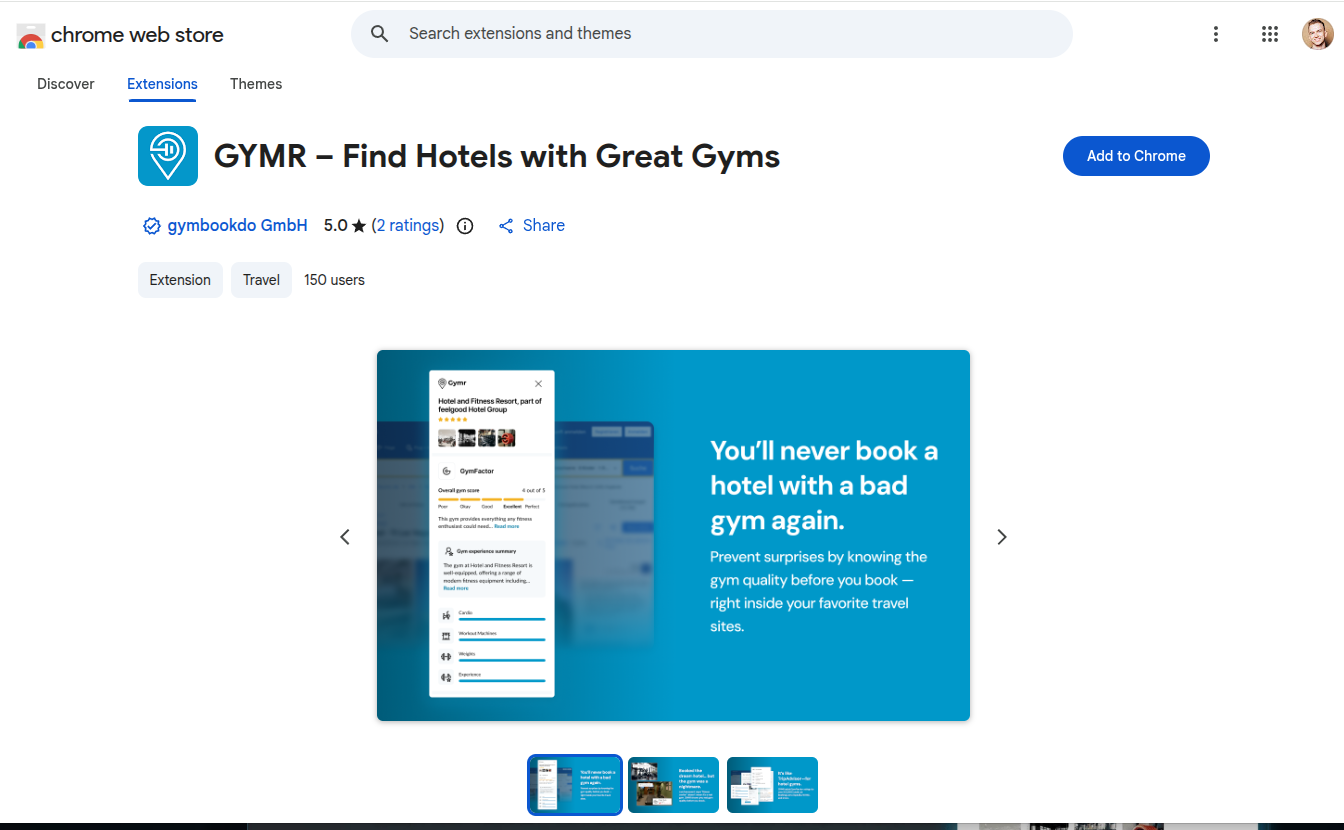
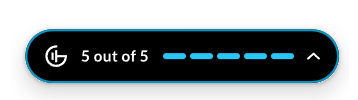
After you install it from the Chrome Web Store, the extension icon appears in the browser toolbar next to the puzzle piece. Open a hotel page on booking.com, for example "The Ned" in London, and the extension shows up at the bottom right of the page as a small black pill with the gym score: "5 out of 5".
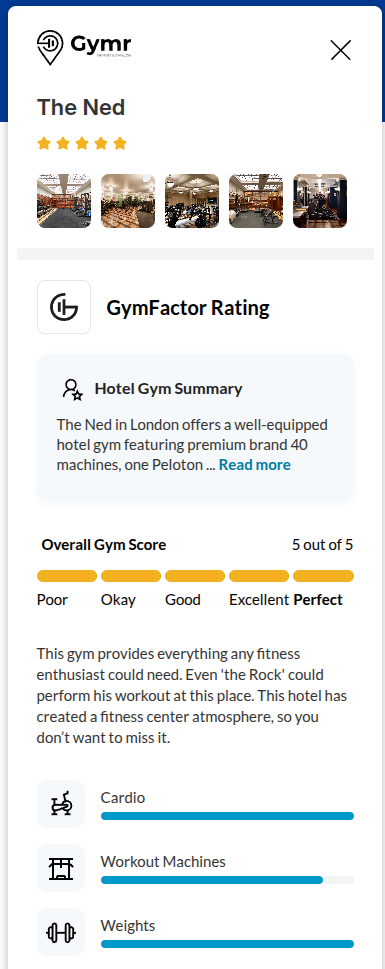
Click the arrow at the right end of the pill and it expands into a side panel with the hotel name, pictures of the gym, the GymFactor rating, a short summary and the facilities: cardio, workout machines, weights and the overall experience, and any other detail you would want.
How the extension knows which hotel you are looking at
From a technical perspective, there is one interesting thing about how this extension detects the ID of the hotel. Booking.com does not hand it over in a convenient way, so the extension reads it from the page itself. If we inspect the source code of this plugin, this is the function in its common.js:
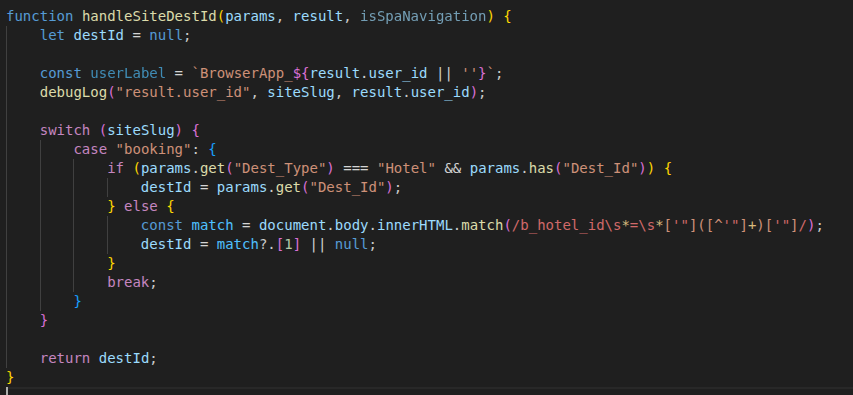
The important line is the one that calls document.body.innerHTML.match() with a regular expression to detect the ID of the hotel. It searches the HTML of the page for the key b_hotel_id and takes the value after the equals sign.
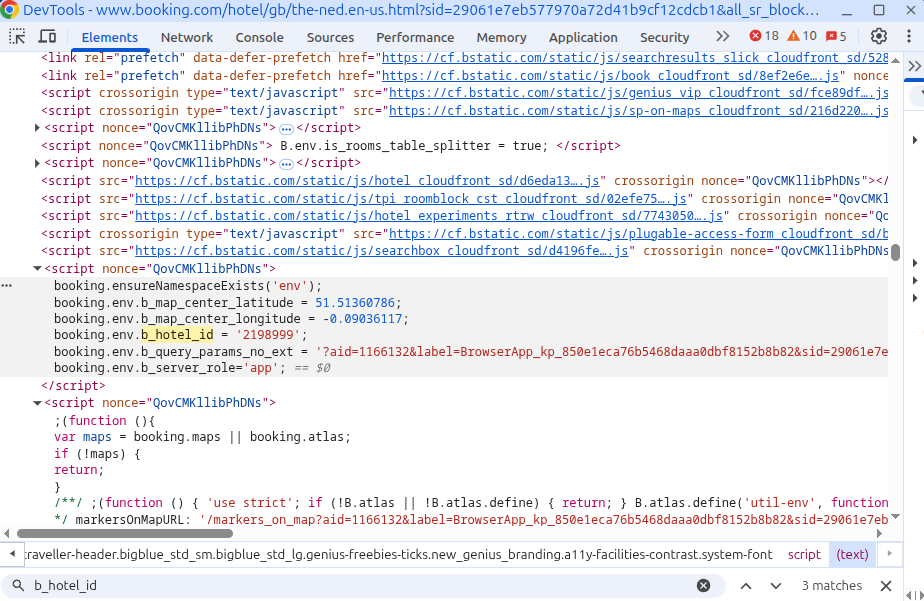
If we inspect the source code of the booking.com page instead and search for b_hotel_id, we can see this snippet in one of the page's scripts: booking.env.b_hotel_id = '2198999';. That variable name is what the extension uses to detect the ID, and that number is the ID of this hotel.
What happens when the website changes
The problem with this approach is that this string of text can change at any time, because the owners of the booking website never promised to keep it. Nobody tells you when it does. Imagine that the key is slightly renamed in the HTML source: b_hotel_id becomes b_hotelId.
Now the search finds nothing. The regular expression no longer matches, the extension cannot get the hotel id, and instead of the gym score the pill shows a red "!" with the message "Hotel not found".
Nothing crashes and nothing looks wrong on the booking website, so you do not notice. Your users do, and they potentially leave negative reviews. One of them writes a one-star review: "Stopped working. It shows nothing on hotel pages anymore. Useless." And you find out about the problem from the reviews, after the damage is done.
Catching it with Checkly
To solve this problem and avoid negative reviews, I would use Checkly. It is a service that allows us to run automated tests every day that catch issues like this before users find them. Checkly runs Playwright browser checks on a schedule. A browser check can load your extension into a real browser, open the hotel page and verify that the extension still finds the hotel and shows the gym score.
So in this case we would have a test that fails when Booking changes their source code, and we would be notified. In this example the notification is an email with the subject "Check failed: GYMR hotel id on booking.com" saying that the key b_hotel_id was not found in the page of The Ned and that the extension cannot identify the hotel.
With that email you know exactly what broke and where to look. You update the extension to read the new key, publish the update, and the pill finds the hotel again. To your users it looks as though the extension has been working all the time. The next review looks different: "Always works perfectly. I check the gym before I book every hotel."
Summary
- Extensions that read data from other websites break whenever those websites change.
- The failure is silent: you usually learn about it from your users and from bad reviews.
- A scheduled Playwright browser check in Checkly runs your extension against the real website and alerts you as soon as it stops working.
Recommended reading
 Chrome extensions | Playwright
https://playwright.dev/docs/chrome-extensions
Learn how to load and test Chrome extensions in Playwright with a persistent browser context. Playwright support | Checkly Docs
https://www.checklyhq.com/docs/detect/synthetic-monitoring/browser-checks/playwright-support/
See which Playwright features Checkly browser checks support when your tests run on a schedule. Configuration-driven features and logic | Chrome for Developers
https://developer.chrome.com/docs/extensions/develop/migrate/improve-security#configuration-drive
How to push updates to your extension without having to resubmit a new zip file to the Chrome Web Store, by making parts of its logic configuration-driven.
Let me know if you have any questions, and thank you for reading.
